Sometimes the Repo Is the Attack: Malware Hidden Inside SVG Files
A fake freelancer sent me a real-looking Next.js project. Hidden inside its image files was a credential stealer set to run the moment I started the dev server. Here's the exact pattern — and how to check any repo before you run it.
Most scams we cover here arrive as a message. A recruiter who's too eager. An investment group that's too generous. You catch them by reading the words.
This one was different. The scam wasn't in the message. It was in the code. And I almost ran it.
I found a malicious payload loader hidden inside SVG comment fragments. This wasn't just sloppy code. It was sophisticated, deliberate infrastructure built to target developer machines. It was packaged as a broken Next.js e-commerce project, and it was designed to spring the moment I did the most ordinary thing a developer does.
The pattern: "the site isn't working, can you take a look?"
I've seen this setup before. It goes: "the site is not working" — then a repository — then the quiet expectation that you'll clone it and run it locally to debug.
That expectation is the whole attack.
Because I'd seen it before, I didn't run it on my main machine. I booted a UTM Ubuntu virtual machine and opened it there instead: an isolated environment where, if something did execute, it couldn't reach my real credentials, my files, or my sessions.
That decision turned out to matter.
At first glance, the repo looked completely real
Next.js. TypeScript. Stripe. Sanity CMS. Authentication. Product pages. API routes. Hundreds of files, all where you'd expect them. Even package.json looked mostly normal.
This is the part worth sitting with. The effort that would normally go into looking like a competent developer had gone into building a project that looks legitimate. There was nothing to "read" and recognize as dangerous. The malicious part was small, quiet, and buried where almost nobody looks.
The one line that felt wrong
The project used a custom server file instead of the framework's normal startup. That alone isn't damning. Real projects do it. But inside it was this:
const { runServerStartupLogs } = require("./lib/serverStartup.js");
"Startup logs" sounds like housekeeping. Harmless. It wasn't.
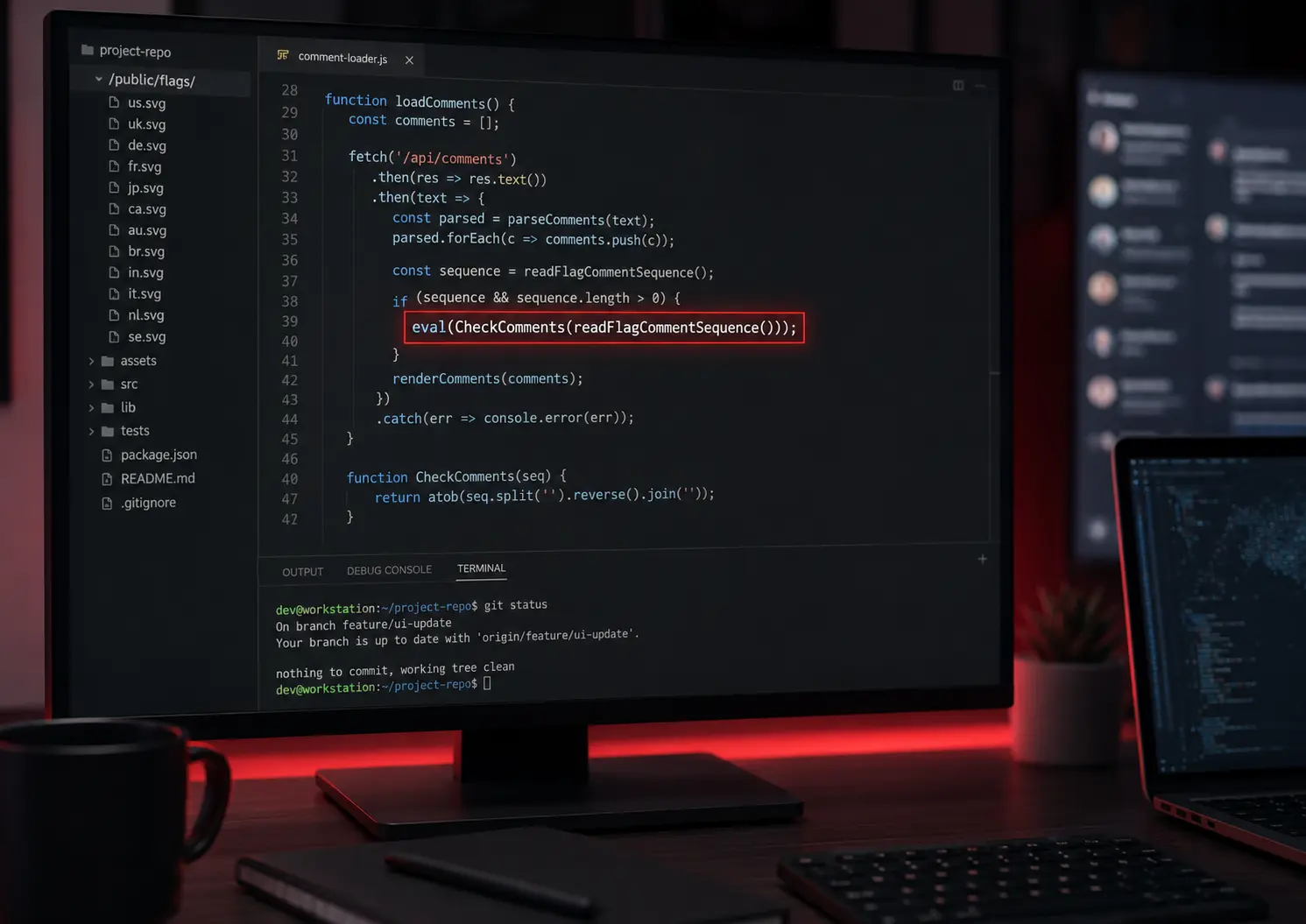
Inside serverStartup.js, the code did something that has nothing to do with logging. It read the comments out of SVG image files, decoded hidden fragments from them, passed the reassembled result into eval(), and silently swallowed any errors so nothing would look broken.
That is not logging. That is a payload loader.
The important detail is not just that eval() existed. It was where it existed. A random eval() buried in an old dependency is still worth checking, but this one sat directly on the startup path. It did not require a user account, a browser click, a checkout flow, or an admin action. It only required me to trust the project enough to start it.
That is why startup files matter so much in unknown repos. They are the first code you hand control to.
SVG steganography: hiding code inside images
The malware was hidden inside SVG files in /public/flags/.
SVG files are images, but underneath they're just text. And like most text formats, they support comments. Comments are normally invisible notes. Here, they held fragments of encoded code. Each fragment, on its own, looked like meaningless noise.
And the hiding place was clever. In an e-commerce app, a folder full of country flags looks completely normal: languages, currencies, shipping regions. Nothing about /public/flags/ raises an eyebrow. That's the point of steganography: not encryption, just hiding the payload somewhere no one thinks to look.
The full startup chain was:
npm run dev
  -> custom server
    -> runServerStartupLogs()
      -> read SVG comments
        -> decode hidden fragments
          -> eval()
So the payload would run as soon as the dev server started. Not after clicking a button. Not after logging in. Just from starting the project.
The comments were also split across multiple files. That made the payload harder to notice with a quick glance because no single SVG contained something that looked like a complete program. One file held a fragment. Another held another fragment. The loader's job was to collect them, sort them back into order, decode them, and execute the finished result.
That pattern matters because a lot of manual review is visual. You open a few files, nothing looks obviously wrong, and your brain starts filing the repo under "messy but normal." Fragmenting the payload works against that instinct. It makes the dangerous part look like harmless noise until the startup code reassembles it.
What it was after
After decoding enough of the SVG fragments, without ever running them, the intent was unambiguous. The reassembled code referenced browser profile paths, cookies, tokens, local file access, system process execution, and communication with a remote server hosted overseas.
That is not "bad code." That is infrastructure built to steal credentials off developer machines: the saved logins, cookies, and active sessions sitting in your browser. The goal wasn't to break into an account later. It was to become you, immediately, everywhere you were already logged in.
The secondary red flags
Once you know what you're looking at, more of it stands out.
There was a hardcoded API key. And a Sanity write token exposed as:
NEXT_PUBLIC_SANITY_TOKEN
In Next.js, anything prefixed with NEXT_PUBLIC_ is shipped to the browser, readable by every visitor to the site. In a normal, messy project, an exposed token like that might just be a beginner mistake. But in a repo that also contains SVG-hidden code and silent eval() execution, an exposed write token reads more like deliberate secondary access: a second way in.
That exposed-secret problem isn't rare, and it isn't always malicious. Plenty of real, well-meaning projects leak keys this way by accident, which is exactly why we built a separate Secret Leak Check tool to catch them.
There is a useful distinction here: a leaked key can be accidental, but a leaked key next to an obfuscated startup payload is not something I would explain away. Security review is not about treating every signal equally. It is about looking at how signals combine. One exposed token might be carelessness. A custom startup path, decoded SVG fragments, silent error handling, eval(), credential-access code, and exposed write access all pointing in the same direction is a campaign.
Why this works: developer muscle memory
This repo was built to exploit a reflex:
git clone
npm install
npm run dev
Every developer has run those three commands thousands of times. It's automatic. You don't think about it any more than unlocking your phone.
But those three commands mean running someone else's program on your computer. When the code comes from someone you trust, that's fine. When it comes from a stranger whose entire identity is a profile and a pitch, it's the same level of trust you'd give a random email attachment. We just don't feel it that way, because it's wrapped in something that looks like work instead of like a scam.
It's the same psychology behind every scam we cover here. It isn't about intelligence, it's about reflexes and trust. The recruiter scam works because replying to a recruiter is normal. This works because running a repo is normal.
What to check before you run any repo
You don't need to be a security expert. You need to break the autopilot and look at a few things first. Reading code is completely safe. The danger is only in running it.
My rule now: if I don't trust the source, I don't run the repo before checking the startup path.
Specifically, look for:
package.jsonscripts: doesdevorstartrun a custom file instead of the framework's normal command?- Custom server files: if there is one, read it, and follow what it calls.
eval()and base64 decoding: anything that decodes text and then executes it is a serious red flag.- Install hooks:
npm installis not "safe by default." Install scripts can run code too, before you ever start the app. - Encoded content in non-code files: SVGs, images, JSON, and CSS should never contain chunks of executable code.
- Strange external URLs or hardcoded IPs in places that have no reason to talk to the internet.
- Exposed secrets: hardcoded keys, or secrets behind browser-exposed prefixes like
NEXT_PUBLIC_. child_processand browser-profile access: code spawning system processes or reading browser data is rarely doing anything good.
And when you genuinely can't vet something by hand, run it in a VM or container the way I did here. An isolated environment is the difference between "I found malware" and "malware found me."
For the broader pre-run checklist — install hooks, hidden execution, assets, and what a clean scan actually means — see How to Check a GitHub Repository for Malware Before You Run It.
The tedious part, and the shortcut
Tracing a startup chain by hand, file by file, is slow. It's exactly the kind of careful, boring work that "I'll just run it, it's probably fine" is designed to skip.
That's why we built the DoubleCheck Repo Scanner. You paste a GitHub URL or upload a ZIP, and it statically checks for the exact patterns in this story: custom startup scripts, eval() on decoded content, payloads hidden in assets, suspicious downloads, and credential-access patterns, without running a single line. You get a plain-English risk verdict before you ever type npm run dev.
It's not a replacement for judgment. It's a way to make the careful check fast enough that you'll actually do it.
One last thing
I reported the account.
But before that, full disclosure, I had one small, petty moment. No reverse hacking, no touching anyone's systems. I just sent the "freelancer" a message saying their code broke on startup, and asked them to fix it. A scammer spending their afternoon debugging malware that never ran is its own kind of justice.
The real lesson is simpler than the payload was: a repository is not a document. It's a program. And sometimes the repo is the attack.