How to Tell If a LinkedIn Recruiter Is Real
Got a recruiter message on LinkedIn? Use these quick 5-second checks to spot fake recruiters, scam job offers, and phishing attempts before you reply.
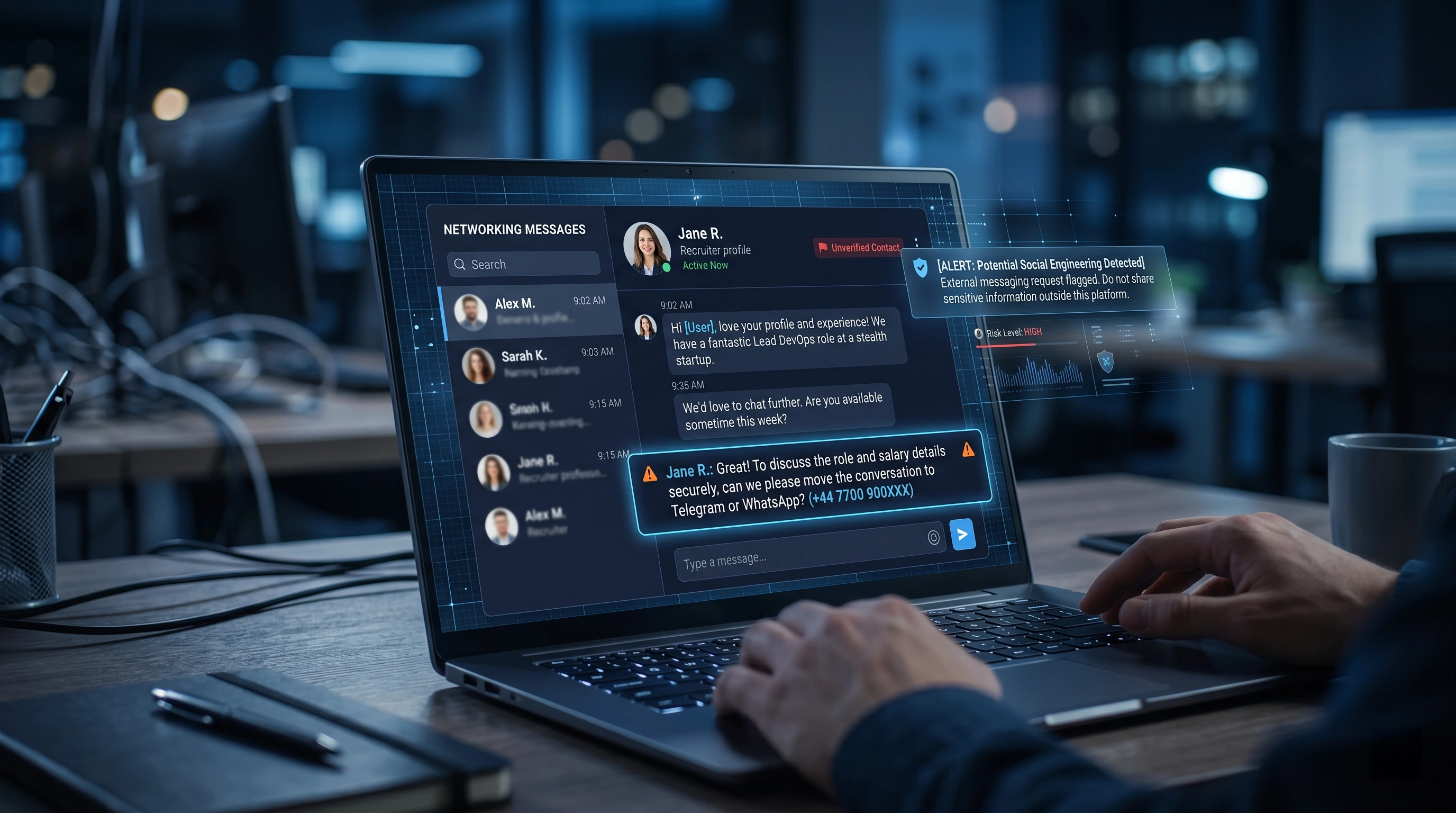
A recruiter just messaged you on LinkedIn.
The job sounds good. Maybe too good.
Remote role. Good salary. Fast hiring process. Maybe they even say your profile is “a perfect match.”
Before you reply, pause for a few seconds.
Fake recruiter scams are common because they hit people at the exact wrong moment: when they are hopeful, stressed, or looking for a better opportunity. The scam does not always start with a weird link. Sometimes it starts with a normal-looking message from a normal-looking profile.
Here are five quick checks you can do before trusting a recruiter on LinkedIn.
Quick answer: how do you know if a LinkedIn recruiter is real?
A real recruiter usually has:
- A clear profile with real work history
- A company that matches their job title
- A message that mentions a specific role
- A normal hiring process
- No request for money, bank details, ID documents, or private codes
- No pressure to move immediately to WhatsApp, Telegram, or personal email
One red flag does not always mean scam.
But two or three red flags together? Slow down.
1. Check if their profile looks real
Start with the recruiter’s LinkedIn profile.
You usually cannot see the exact age of a LinkedIn account, but you can still check the signs of a real professional profile.
Look for:
- Real work history
- A current company
- Normal connections
- Activity that matches their role
- A profile photo that does not look fake or overly polished
- A work title that makes sense
Be careful with profiles that feel empty.
For example, a “Senior Recruiter” with almost no posts, no clear company history, no normal activity, and very few connections should make you pause.
Also check if their title matches their company.
If they say they recruit for Microsoft, but their profile says they work at a random unknown agency with no explanation, ask more questions.
Screenshot idea: Show a blurred LinkedIn recruiter profile with callouts around “Current company,” “Experience,” “Activity,” and “Connections.”
2. Check if the company match makes sense
A real recruiter should be connected to the company they claim to represent.
Do a fast check:
- Click the company name on their profile.
- Check the company page.
- See if the recruiter appears connected to that company.
- Search the company’s official careers page.
- Check if the job actually exists there.
This is important because scammers often impersonate real companies. The FBI has warned that fake hiring scams may use spoofed company websites, fake job posts, and people pretending to be recruiters, HR staff, or hiring managers.
A simple rule:
If the role is real, it should usually exist somewhere official.
Not always, but usually.
If the recruiter says, “This is confidential, so it is not posted anywhere,” that does not automatically mean scam, but it does mean you should verify more carefully.
Screenshot idea: Show a fake flow: LinkedIn message → company page → official careers page → job not found.
3. Check how fast they try to move you off LinkedIn
This is one of the biggest red flags.
If the first message says something like:
“Message me on WhatsApp for details.”
Or:
“Contact our hiring manager on Telegram.”
Or:
“Reply YES and we’ll continue.”
Be careful.
LinkedIn’s safety guidance calls out being asked to leave LinkedIn for a personal chat app as a major red flag, and that many reported scam messages involve moving people to private messaging.
The FTC also warns about fake recruiter messages that ask people to reply with words like “YES” or “INTERESTED” before moving them deeper into the scam.
A real recruiter might eventually schedule a call or email you.
But they should not need to rush you to WhatsApp or Telegram before they even explain the role.
Good sign:
“Here is the role. Here is the company. Here is my work email. Happy to continue here or schedule a call.”
Bad sign:
“Urgent hiring. Message this Telegram account now.”
Screenshot idea: Show a fake recruiter message with “WhatsApp,” “Telegram,” and “urgent” highlighted.
4. Check the message structure
Fake recruiter messages often feel strangely generic.
They may sound professional, but they avoid real details.
Watch for messages like:
“Hello dear candidate, we reviewed your profile and think you are perfect for our remote role. Kindly reply if interested.”
The problem is not just bad grammar. Real people also make typos.
The problem is vagueness.
A real recruiter usually mentions at least some of these:
- Job title
- Company name
- Location or remote setup
- Why they contacted you
- Skills they saw on your profile
- Basic process
- Company email or official link
A fake recruiter often says:
- “Remote position”
- “Flexible work”
- “High salary”
- “No experience needed”
- “Immediate start”
- “Reply fast”
- “Limited slots”
- “Kindly contact the hiring manager”
The FTC warns that fake recruiters may claim to be from known companies and mention remote jobs with pay details but little real information about the actual work.
A simple test:
Ask one clear question.
“Can you send me the official job post or company careers page?”
If they avoid the question, keep pushing you to another app, or reply with more generic text, that is a bad sign.
Screenshot idea: Show two message examples side by side: “Normal recruiter message” vs “Suspicious recruiter message.”
5. Check what they ask for
This is the most important check.
A fake recruiter may eventually ask for something dangerous.
Hard-stop red flags:
- Pay a fee
- Buy equipment
- Send gift cards
- Share bank details
- Share passport or ID before proper hiring steps
- Share your Social Security number or tax ID early
- Deposit a check and send money back
- Send a verification code
- Download a strange file
- Log in through a strange link
The FBI warns that hiring scammers may ask for personal information, direct deposit details, credit card information, or upfront payments for training, background checks, equipment, or supplies.
Real employers do need personal details later.
But not in the first LinkedIn conversation.
Not before proper interviews.
Not through Telegram.
Not through a random form.
Not because someone is rushing you.
A good rule:
If they ask for money, it is almost always a scam.
If they ask for sensitive personal information too early, stop and verify.
The 5-second recruiter check
Before replying to a recruiter, ask yourself:
- Does their profile look real?
- Does their company match their claim?
- Is the job listed on an official company page?
- Are they rushing me off LinkedIn?
- Are they asking for money, documents, codes, or private info?
If the answer feels wrong, do not continue yet.
Take a screenshot. Verify the company. Search the recruiter’s name. Ask for an official email.
Or use DoubleCheck.
Use DoubleCheck before you reply
DoubleCheck helps you quickly scan suspicious recruiter messages, job offers, and social media outreach.
Instead of manually checking every small detail, you can use DoubleCheck to get a quick warning when something looks risky.
It is built for moments like this:
- A recruiter message feels slightly off
- A job offer sounds too easy
- Someone wants to move to WhatsApp or Telegram
- A profile looks real, but the message feels strange
- You are not sure if a link is safe
You do not need to become a scam expert.
You just need a second layer of protection before you click, reply, or share anything private.
Install DoubleCheck and check suspicious recruiter messages in one click.
Related Reading
Final Thoughts
Fake recruiters win when you move fast and hope it is real.
Five seconds of structured checking—profile, company, platform, message, and requests—turns a vague worry into a clear decision.
When in doubt, pause, verify, and get a second opinion before you share anything sensitive.